AI imports
Flights & rentals
Paste email text — review before save.
 BandHQ
Download
BandHQ
Download
Available for iPhone and Android
Gigs, roster, venues, setlists, documents, and AI-assisted imports synced for every member, so nothing falls through the cracks from rehearsal to show night.
AI imports
Flights & rentals
Paste email text — review before save.
One shared hub
Band + crew
Synced for every member on the run.
Features
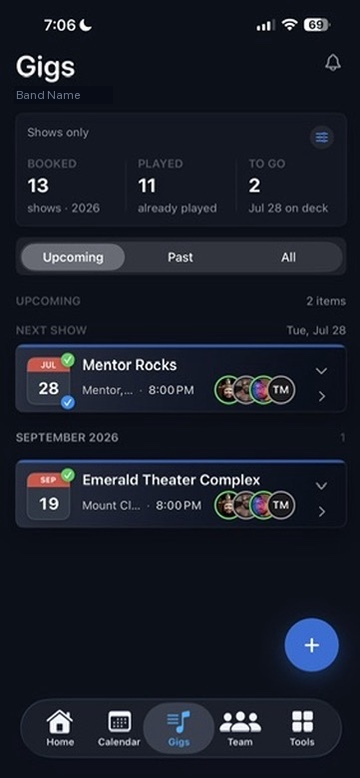
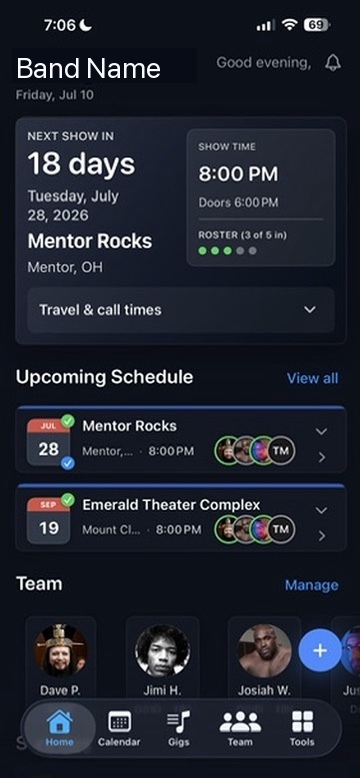
BandHQ keeps the big moving pieces visible: the schedule, the shared data, the venue details, and the people who need to know what is happening next.
See what is next on a dashboard built for show day — and keep the next accepted show on your Lock Screen with a live countdown when it matters.
Pull in venue tech packs, tour schedules, flight and car rental emails, and merch sales from PDF statements or PayPal, Stripe, Square, and similar exports — then review before anything is saved.
Invite with a code, assign roles, confirm who is in for each gig, and keep per-show conversations tied to the event.
Lock Screen
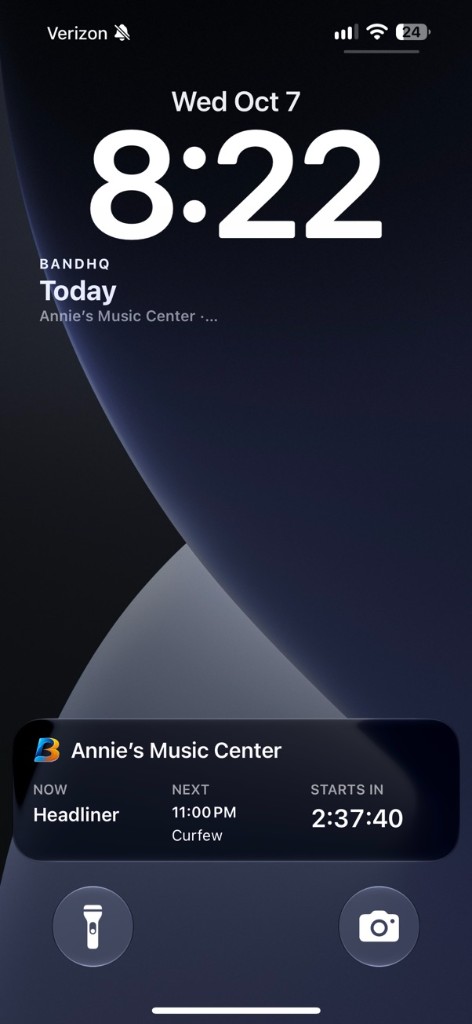
BandHQ can keep your next accepted show on the Lock Screen. The Next show widget shows how many days are left, the venue, and the date. On show day it says Today.
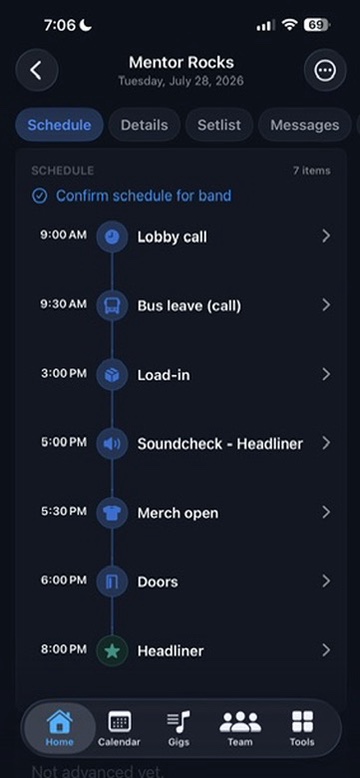
When the show is actually happening, a countdown card takes over. It shows what is happening now, what is next — lobby call, bus leave, load-in, soundcheck, and the rest of the schedule — and a timer for when that next thing starts. After the last item, the card goes away.
iPhone. Touch and hold the Lock Screen, tap Customize, and add Next show. It sits under the clock. The show-day countdown starts on its own — iOS will not add the widget for you.
Android. Touch and hold the home screen, tap Widgets, and add Next show. It is a small square, about the size of the weather widget. On show day, a countdown notification stays on the lock screen. On Android 16, the same widget can also go on the lock-screen widget page.
AI Import
Drop in a venue tech pack, tour schedule, merch sales report, airline confirmation, or car rental email. BandHQ turns source material into reviewable venues, pending gigs, settlement-ready merch totals, multi-flight travel days, and rental details — including the venue cut when you sell at the door.
Upload a PDF or paste text. AI extracts contacts, load-in, parking, power, hospitality, hotels, production notes, and other day-of details.
Import schedule PDFs, pasted emails, plain text, CSV, or Excel date lists. Spreadsheets parse on-device, while PDFs and emails use AI.
Paste flight confirmation text from Mail or any airline email and BandHQ auto-populates your flights — including multiple flights in one itinerary. Paste a car rental confirmation and the rental details land on the day too.
Import tonight’s merch report from a PDF statement or a CSV/Excel export from PayPal, Stripe, Square, Shopify, Venmo, Zettle, and similar processors.
From load-in to load-out
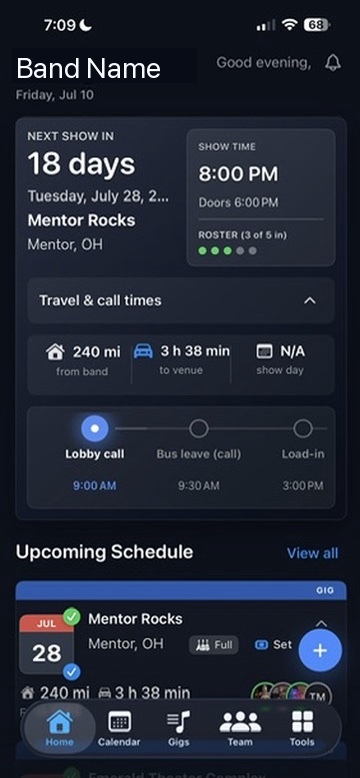
Dashboard, travel details, call times, and upcoming shows stay together instead of getting buried in separate threads.

Why it exists
“BandHQ was born out of necessity. Running a band meant endless texts, emails, repeated questions, and trying to keep everyone on the same page. I built BandHQ to solve those problems for my own band, and it quickly became invaluable. From show details and venue contacts to travel, lodging, setlists, advancing, and communication, everything we need is finally in one place. It’s the app I always wished I had as a band leader.”
It grew into one place for the rest of the work too: leader and member views, easy daysheets, financial tracking, band splits, venue history, contacts, rosters, setlists, lodging, and the details that keep a show moving.
Real band ops
Everything important has a home: the schedule, the people, the room, the money, the imports, and the plan. Tap any phone to enlarge.
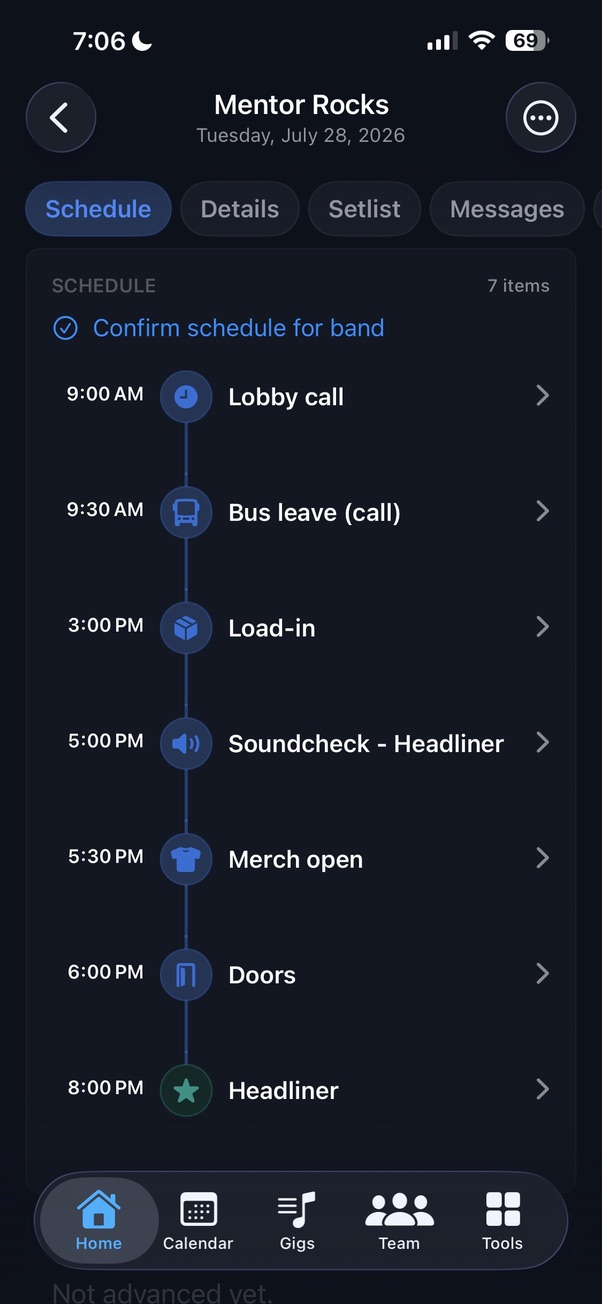
Keep load-in, bus call, soundcheck, doors, merch, and show time in one clear timeline.
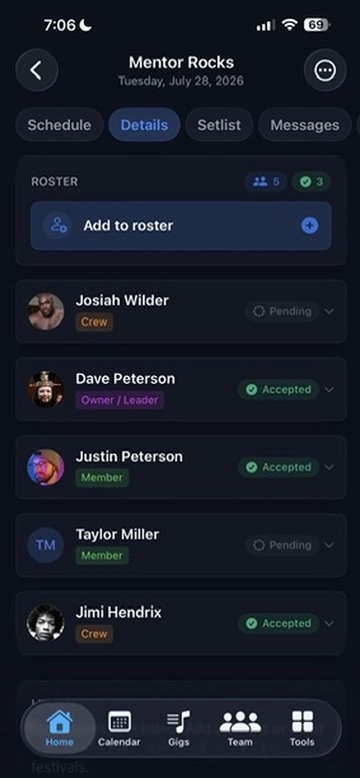
Track who is confirmed, pending, leading, crewing, driving, or playing each show.
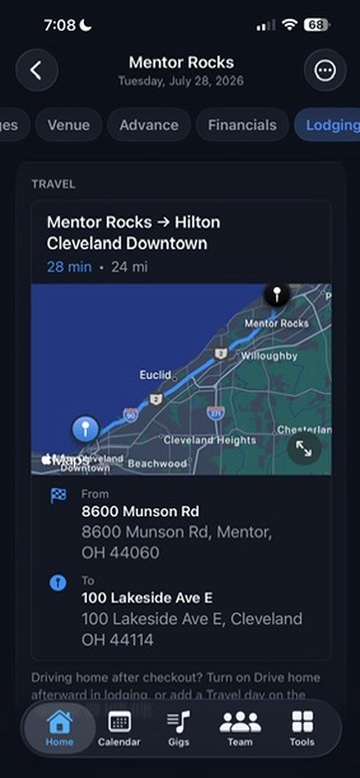
Paste flight or car rental emails to auto-fill travel, then keep drives, hotels, and notes attached to the gig.
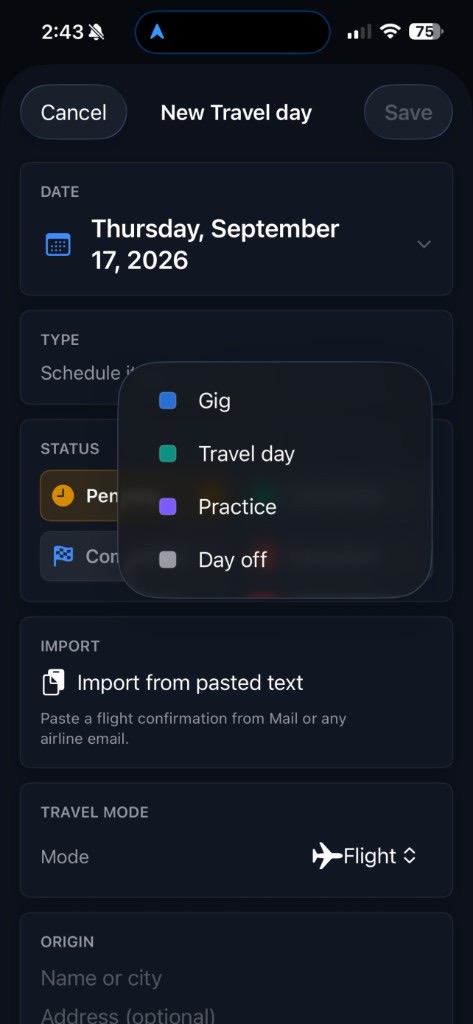
Add gig days, travel days, days off, and practices to the same calendar — so the whole run lives in one place, not just show nights.
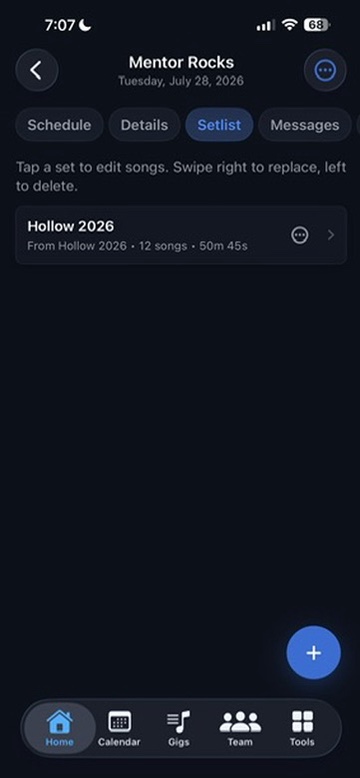
Build sets from a shared song pool and attach snapshots to gigs.
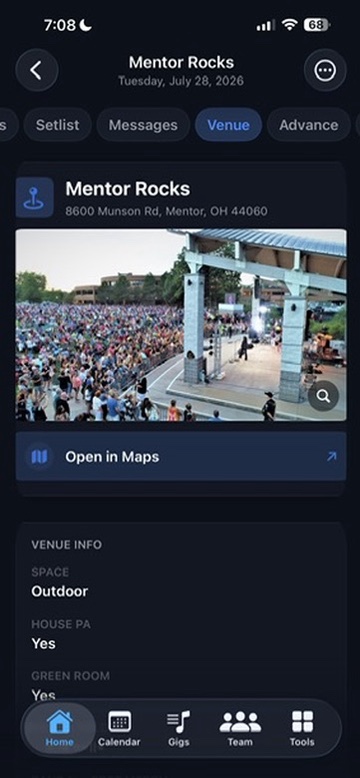
Keep contacts, load-in, power, hospitality, capacity notes, suggested hotels, gallery photos, amenities, maps, and tech packs with the venue.
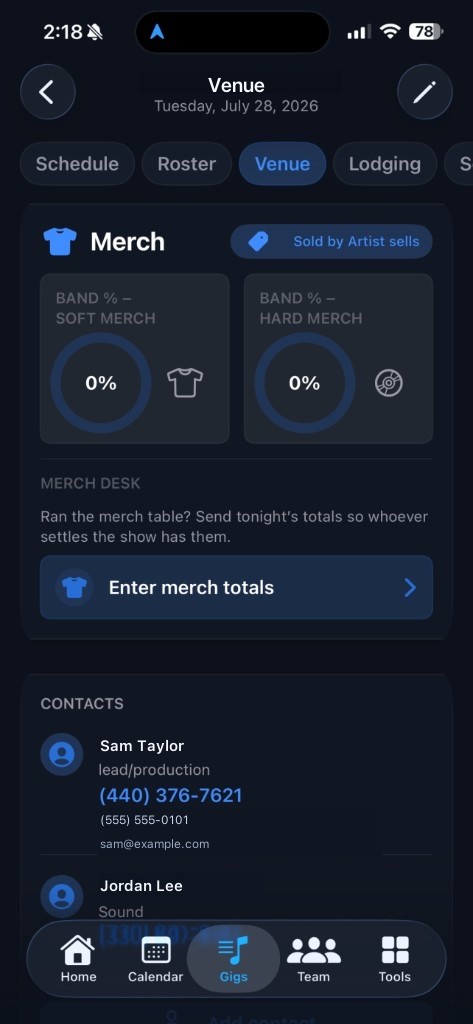
Keep soft and hard merch cuts with the venue so settlement always uses the right artist-vs-house deal.
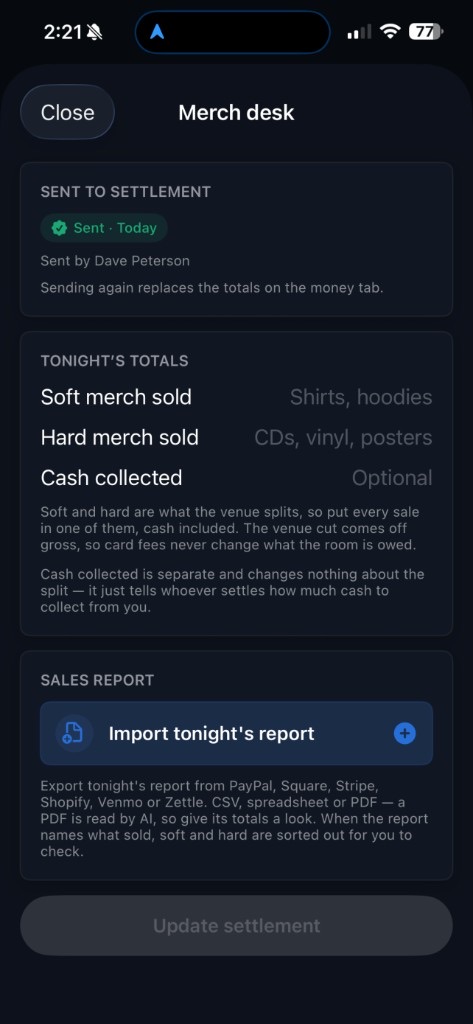
Import tonight’s sales report with AI, then send soft and hard totals to the settlement sheet the venue signs off on.
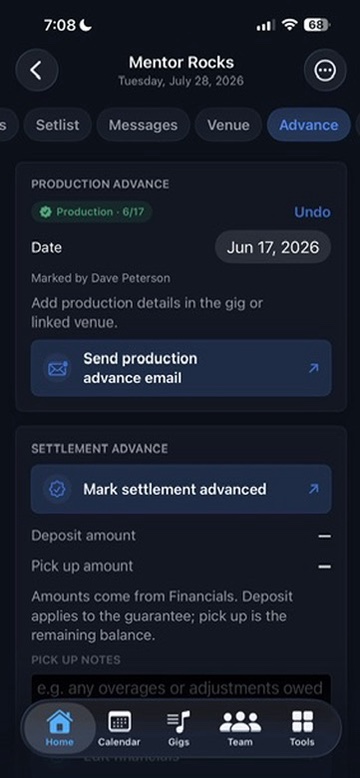
Send production details, attach tech packs, fill venue details from files, and track settlement prep before show day.
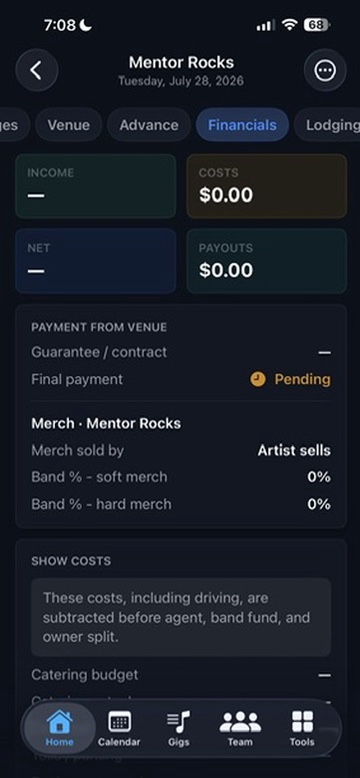
Guarantees, splits, merch desk totals, venue settlement sheets, expenses, payouts, and reports stay organized.
Who it is for
Run shows, money, advancing, documents, and the roster from one app.
See your schedule, accept gigs, and pull up setlists without chasing texts.
Dedicated roles, drive legs, call times, and show-day details in one place.
Start with a few gigs and scale into a full calendar, shared docs, and reports.
Testimonials
Real feedback from band leaders keeping advancing, schedules, finances, and the whole team in sync.

“BandHQ has been a game changer for managing our band. When you’re constantly touring, advancing shows, coordinating schedules, keeping track of finances, and making sure everyone has the information they need, there are a lot of moving parts. BandHQ gives us one place to keep everything organized and our entire team on the same page. It’s built for the way bands actually operate, and it’s become an essential part of how we run our business on the road.”

“Built for the professional, practical for everyone. BandHQ offers a one-stop solution for musicians and others alike. Schedule management between multiple bands is a breeze thanks to its user friendly interface. And that’s just the start. You’ll thank yourself later.”
Pricing
Start free with quantity caps. Pro removes gig, venue, and member caps, lets you own up to 3 bands, and covers invited members on those bands — no per-seat charge. Joining bands owned by others stays free. Subscribe in the app via the App Store or Google Play.
Free
Full features with caps
Free
No credit card required
Most bands
Pro
Up to 3 owned bands
$49.99/mo.
Billed monthly · 2-week free trial
Free vs Pro
| What’s included | Free | Pro |
|---|---|---|
| Gigs | Up to 4 | Unlimited |
| Venues | Up to 4 | Unlimited |
| Members | Up to 5 | Unlimited |
| Bands you own | 1 | Up to 3 |
| Do invited members need Pro? | No | No — your Pro covers the band |
| AI imports, merch, setlists & more | Included | Included |
| Purchase | Download free | In-app via App Store or Google Play |
FAQ
Quick answers for bands deciding if BandHQ fits.
BandHQ is built for the whole band, not only the tour desk. Leaders run advancing, money, merch settlement, and the roster. Members, crew, and drivers get the schedule, travel, setlists, and show-day details without digging through texts. It works for a few local dates or a full tour.
Scattered texts, spreadsheets, email threads, and last-minute screenshots. Gigs, roster, venues, setlists, messages, and documents live in one shared app.
Band leaders, tour managers, working musicians, crew, and drivers. It works for local bands with a few dates and touring bands with a full calendar.
BandHQ is available for iPhone and Android, so mixed-device bands can stay on the same page.
Yes. Free includes the full feature set with quantity caps: 4 gigs, 4 venues, 5 members, and 1 owned band. Pro removes gig, venue, and member caps, allows up to 3 owned bands, and covers invited members on bands you own. Joining bands owned by others is free and does not count toward the owned-band limit.
No. People join with an invite code. On Pro, invited members are covered on bands you own (up to 3) — joining your band is not a separate seat charge. If the owner’s subscription ends, access to that band may pause until billing is restored. Band data is not deleted just because a subscription ends.
Yes. Import venue tech packs with AI, drop in tour schedules for pending gigs, paste airline emails to auto-populate single or multiple flights, and paste car rental confirmations onto the day. Review everything before it is saved.
Yes. Import tonight’s sales from a PDF statement or a PayPal, Stripe, Square, Shopify, Venmo, or Zettle export. Soft and hard totals go to a one-page settlement sheet with the venue’s merch cut already applied.
Yes. Cloud sync keeps the band on the same gigs, roster, messages, setlists, venues, and documents. Role-aware views mean leaders, members, crew, and drivers each see the details meant for them.
Yes. The dashboard and daysheet keep the next show, call times, roster status, travel details, and schedule close at hand. On iPhone and Android, the Next show Lock Screen widget shows days left and the venue; on show day a countdown card shows what is happening now, what is next, and a timer.
On iPhone: touch and hold the Lock Screen, tap Customize, and add Next show under the clock. The show-day countdown starts on its own — iOS will not add the widget for you. On Android: touch and hold the home screen, tap Widgets, and add Next show. On show day a countdown notification stays on the lock screen; on Android 16 the same widget can also go on the lock-screen widget page.
Band data is stored on your device and in the cloud with industry-standard safeguards. The privacy policy explains what is collected, where it lives, and who it is shared with.
Email support@bandhqapp.com, or use More, Submit feedback in the app.
Free tier to get started
Gigs, roster, venues, setlists, documents, and show-day details in one shared workspace.